

Published November 1, 2025
| 1 Comment | Leave A ReplyRichard K. Miller of Provo, Utah, developed genealogy research software Goldie May to help automate the keeping of a research log, and you may recall he wowed your “Roots & Branches” columnist a “coupla three” years ago at a National Genealogical Society conference.
Well, I had the opportunity to catch up with Miller last month and Goldie May just keeps getting better.
First, the basics: if you’re like me when I’m in the midst of a genealogy project with a dozen or more open tabs on your computer, turning on Goldie May’s “automatic logging” feature is the way to keep track of all those tabs painlessly (and, yes, you can turn it off if you’re not working on a project or are masochistic enough to want to log the pages manually.
I find this to be an appealing enough feature, but Goldie May—which is named for one of Miller’s great-grandmothers, by the way—now goes much further than that. Among the highlights:
- In creating a project on Goldie May, you can put together a list of tasks, add people to research, and add a collaborator on that project.
- If a person you’re researching has a FamilySearch.org Family Tree individual entry, you can import that profile into Goldie May along with sources, and also get suggestions on sources for future research.
- The feature Miller calls “Subway Map” puts together sources on individual persons chronologically and separates them geographically—even gives you a button to show them on Google Maps as a migration route!
- Subway also now suggests newspapers in online databases for the places tracked in an individual’s Subway path, making the often ponderous process of finding which newspapers might apply to a new place of research.
- The “Catalog” tab in Goldie May lets you put in a geographic place and date range to plumb the database titles in American Ancestors, Ancestry, Findmypast, and My Heritage, helping you put together a research “hit list.”
- If you haven’t started a project in Goldie May, there’s still a “Windows & Tabs” feature available for saving (wait for it, wait for it!) the windows and tabs you have open in your computer at any one time.
- There’s also a “DNA Privacy Mode” available that allows DNA presenters to automatically blur the names and faces on AncestryDNA pages to maintain privacy while presenting.
Goldie May remains a “freemium” product, with some tools (project management and the research log) available for free; while the most sophisticated ones such as “Subway” and “Workspace” require a subscription, the price of which is as low as $12 a month or discounted to $120 a year.
All the information on Goldie May is at www.goldiemay.com.
1 Comment
For Sale
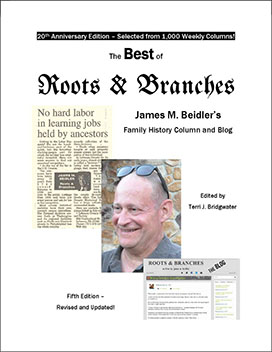
The Best of "Roots & Branches", Fifth Edition published July 2017, edited by Terri J. Bridgwater.
It contains a selection of columns from Beidler’s award-winning newspaper column (currently published in the Altoona Mirror), which is the only syndicated newspaper column on genealogy in Pennsylvania.
The book can be ordered online, or purchased directly from Jim when he speaks at a conference.
Donna
4 months ago
Thank you for another great article, Jim.